What to look for in construction project management software
Construction projects fail in the gaps between systems. The schedule lives in a planning tool, daily progress lives in WhatsApp and paper diaries, issues live in a spreadsheet nobody owns, and decisions live in someone's inbox. Each tool works; the project still drifts, because no single system knows what is actually happening.
When evaluating construction PM software, the question is not "does it have features?" — everything has features. The question is whether the platform closes the loop between plan and reality. Four capabilities matter most:
- A real schedule engine. Dependencies, working calendars, and critical path — not a task list with dates. If the tool can't tell you which slip moves the completion date, it can't manage a construction project. See our Gantt chart software page for what a serious schedule view requires.
- Field reporting the site will actually do. Progress capture has to take minutes from a phone at the work face, or it degrades into end-of-week fiction. This is the case for structured daily progress report software over paper and chat.
- Issues with teeth. An issues register with priority, severity, and ownership — plus escalation that fires automatically when a critical item sits unanswered, so problems can't hide in a thread.
- Reporting without a reporting day. Owners, leadership, and clients need current answers. If producing the weekly report takes a day of copy-paste, the report is already describing last week.
These four are the foundation of project controls. A fifth capability — AI — is the multiplier: it removes the labour that makes teams skip the first four.
How Gantivity covers planning, execution, field reporting, and communication
Planning: AI schedule generation in Studio
Describe your scope in plain language and Gantivity Studio builds the work breakdown structure — tasks, dependencies, durations, calendars — and computes the critical path. You iterate with the AI, stress-test feasibility, then baseline. A credible draft schedule takes minutes, which means even fast-moving packages and recovery plans get a real programme. Full detail on our AI construction scheduling page.
Execution: signals, prediction, escalation
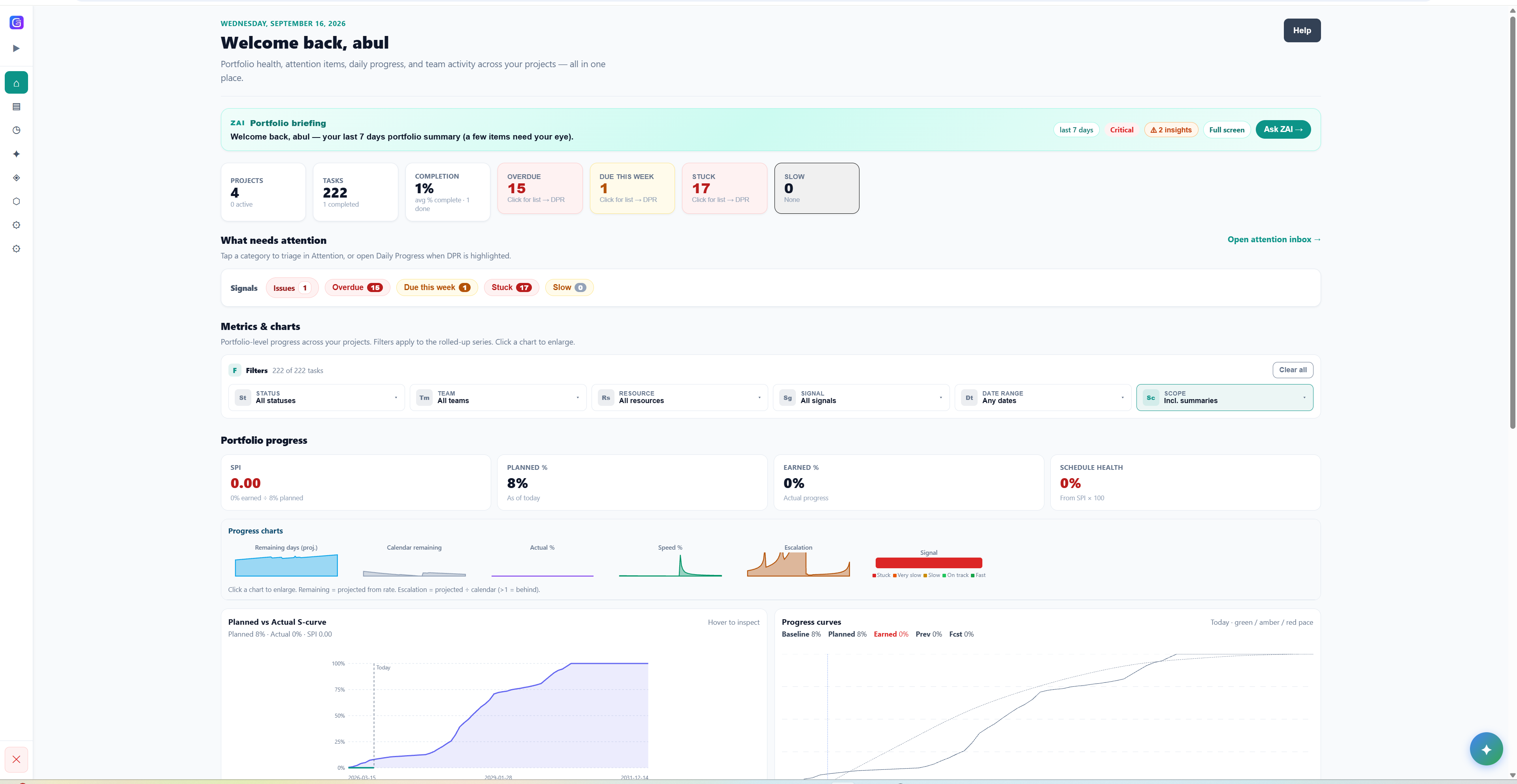
During delivery, execution signals mark every task as on track, behind, or blocked. Delay prediction compares field performance against the plan and flags milestones trending late — weeks before a monthly update would catch them. The issues register carries priority and severity, and configurable auto-escalation pushes unanswered critical items up the chain automatically, with a log of who was notified and when.
Field reporting: the Daily Progress workflow
Site engineers update their tasks daily — notes, percent progress, time — and raise issues directly from the work face. Every update writes back to the schedule, building a timestamped history per task. That history is the raw material for delay prediction, variance analysis, and defensible answers when the delay-responsibility conversation happens.
Communication: PCM and the ZAI copilot
Project controls messaging (PCM) keeps conversation attached to the work: channels and update streams with structured nudges aligned to pending tasks. ZAI, the in-channel copilot, answers "what's due this week?", "which tasks have issues?", and "summarise this channel" instantly — and helps draft escalations without leaving the conversation. Dashboards and a multi-project inbox give PMs and leadership a control-tower view across everything.