AI scheduling built for execution, not just planning
Gantivity is a full construction project management and project controls system: AI-generated schedules in Studio, live execution signals, daily progress reports from the work face, automated escalations, and AI reports — with ZAI, the project copilot, in every conversation.
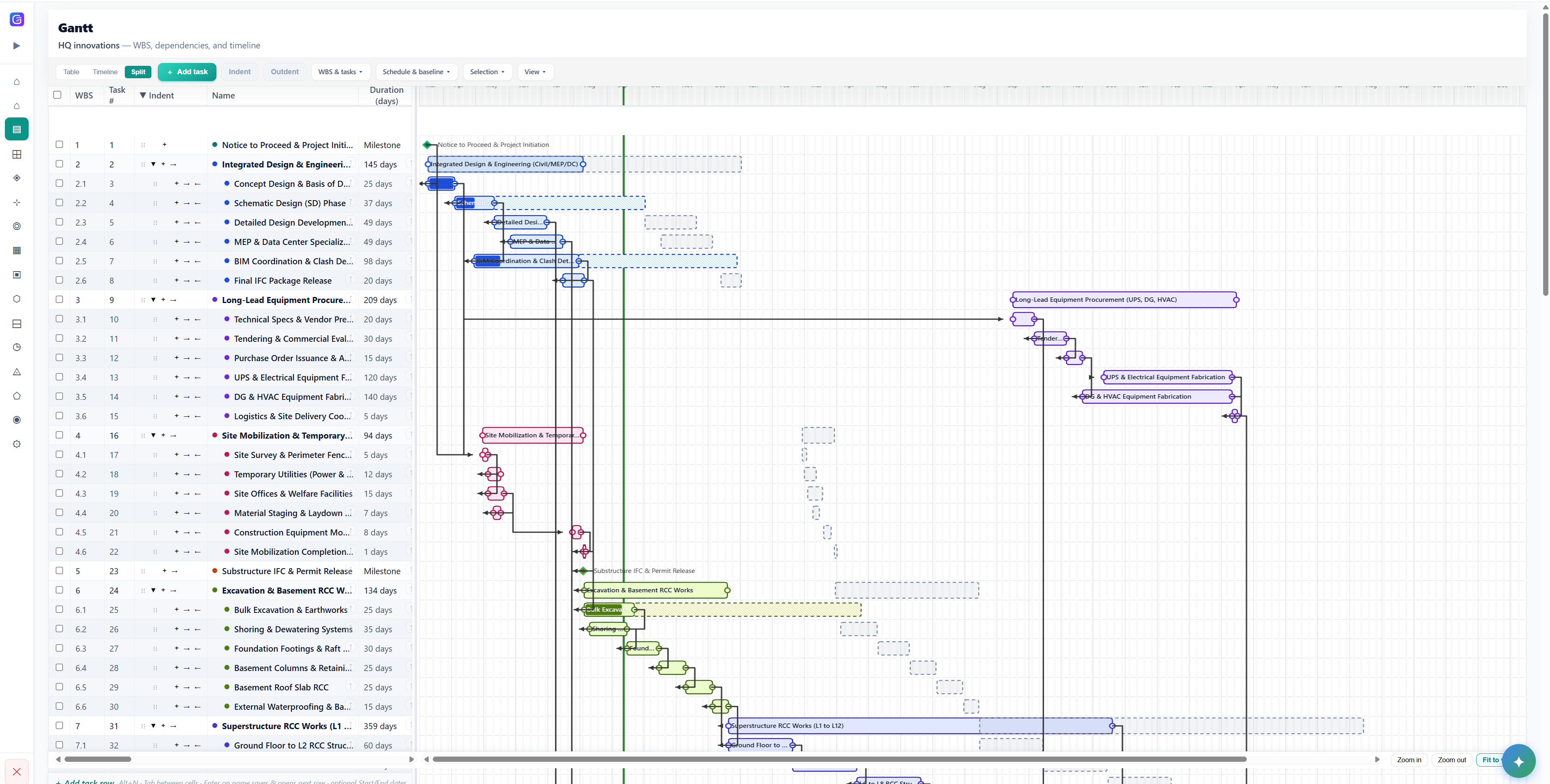
Every project. One live picture.
Portfolio health, attention items, and schedule signals — so nothing important hides in chat noise. This is the view leadership actually uses.
- Overdue, stuck, and due-this-week on one canvas
- S-curve and schedule health for leadership
- Inbox for escalations, assignments, and mentions
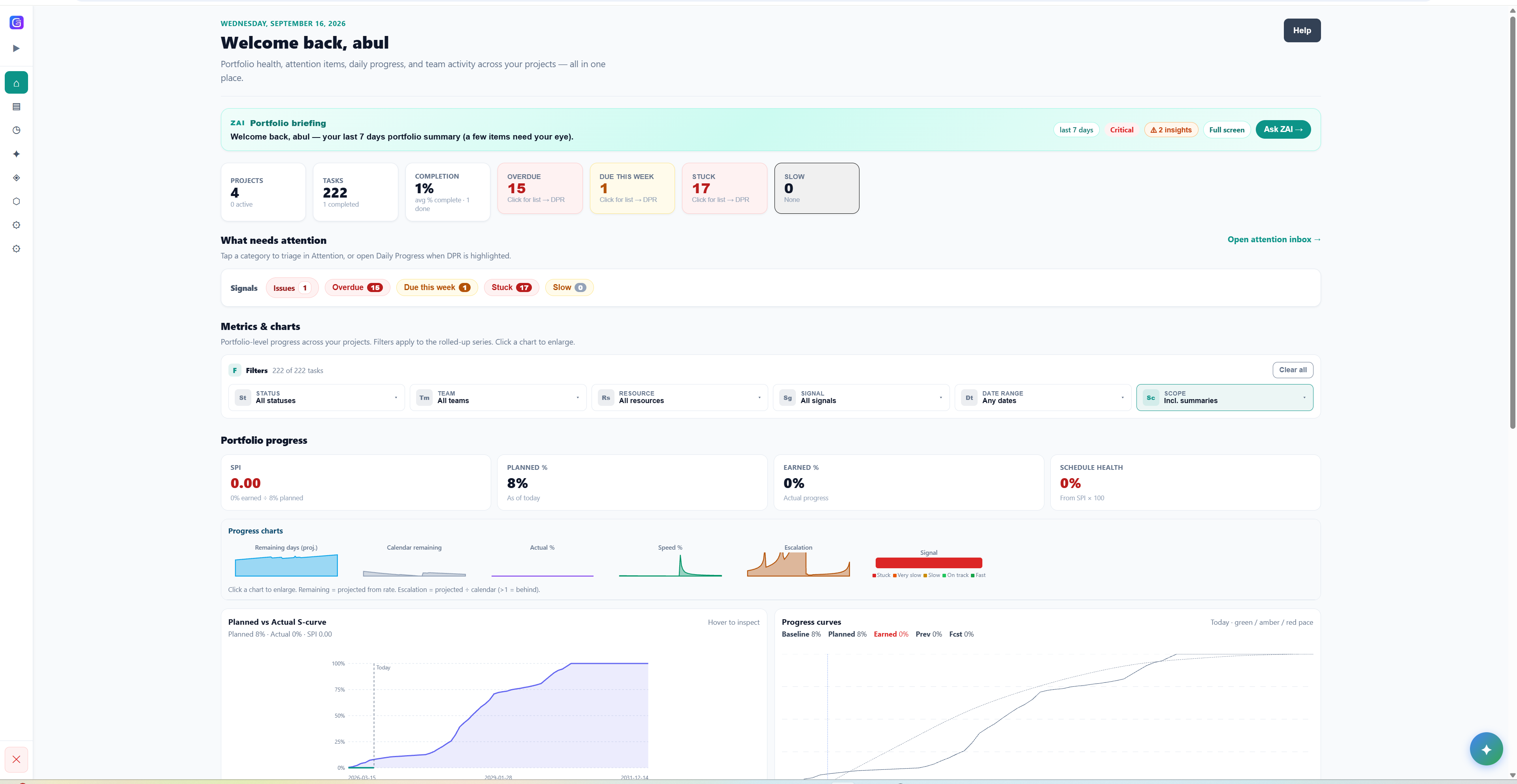
A briefing that writes itself
ZAI opens on the dashboard with what moved, what is overdue, and what needs a decision this week — grounded in live project data, not a slide deck.
- Weekly briefing from the live schedule
- Critical vs schedule insights in one place
- Ask a follow-up without leaving the control tower
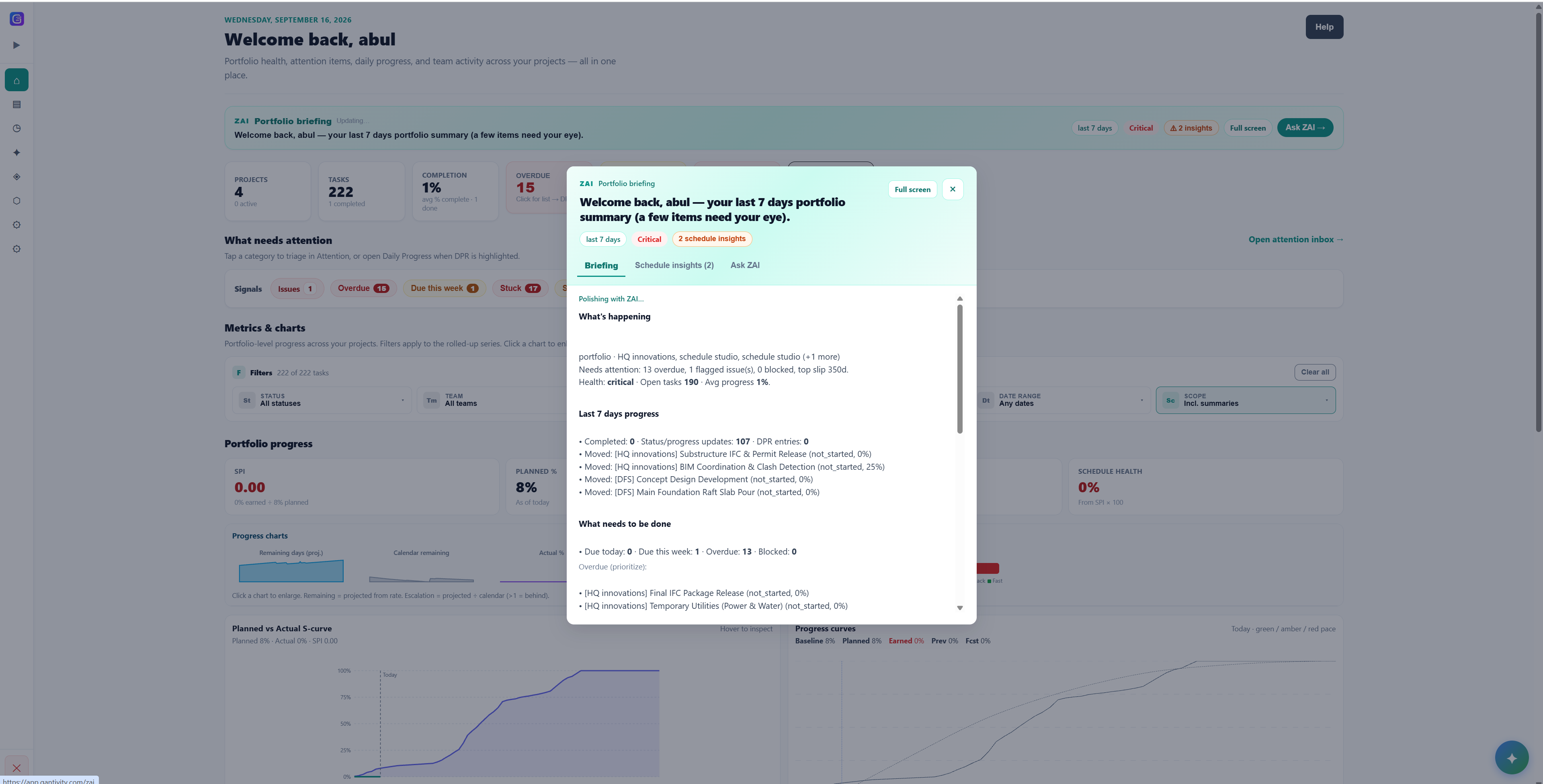
A Gantt chart that thinks ahead
WBS, dependencies, and timeline on one surface — the same programme the field updates daily, with the critical path computed as the plan changes.
- Indent, duration, and critical-path bars
- Dependencies and calendars in one view
- Built for multi-year construction programmes
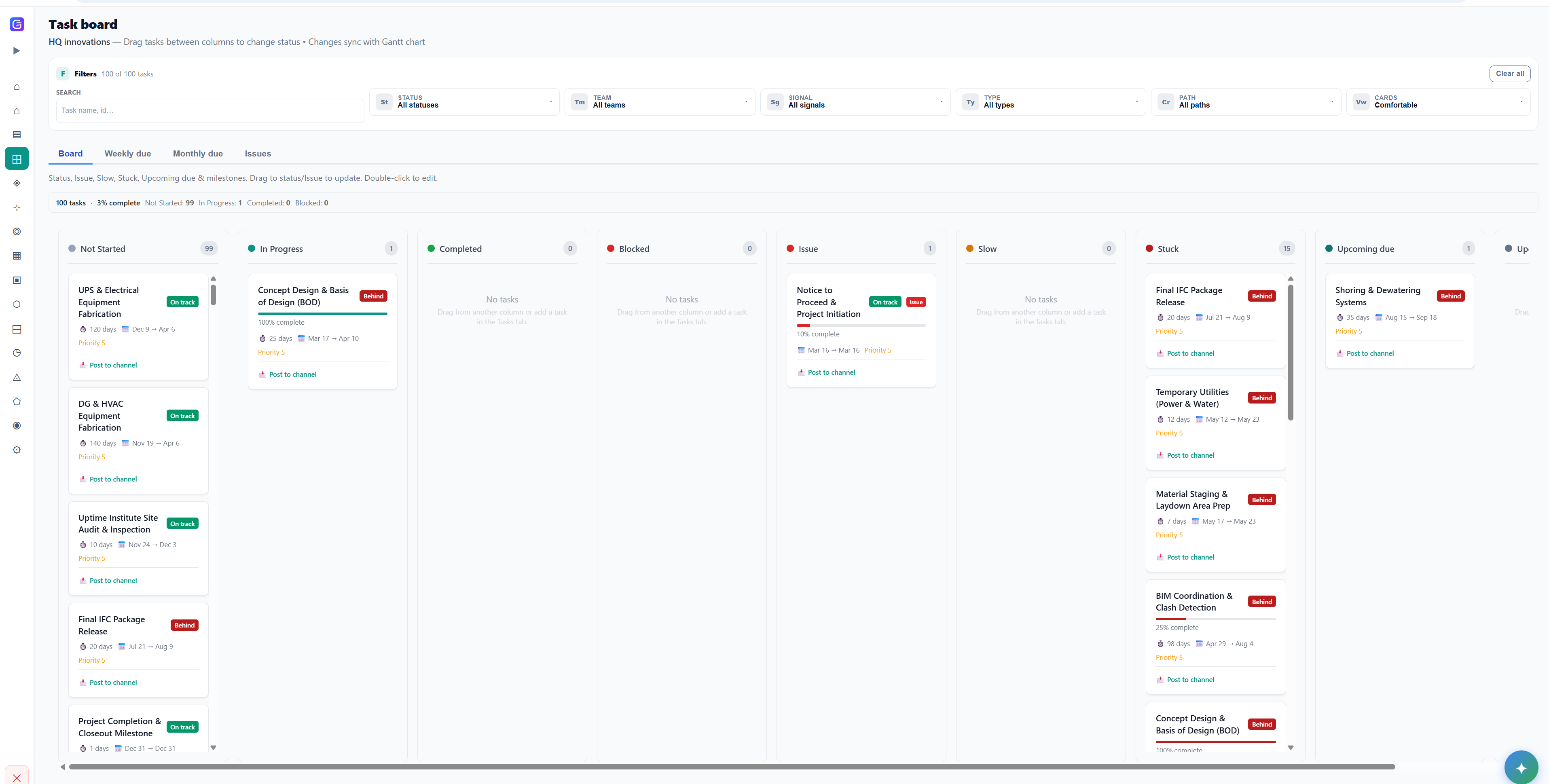
A task board that stays in sync with the Gantt
Drag status between columns. Changes write back to the same WBS, so site and office share one plan instead of two versions of the truth.
- Not started through stuck and upcoming due
- Issue flags on the card, not in a side spreadsheet
- Same WBS the Gantt already knows
Project controls, in the conversation
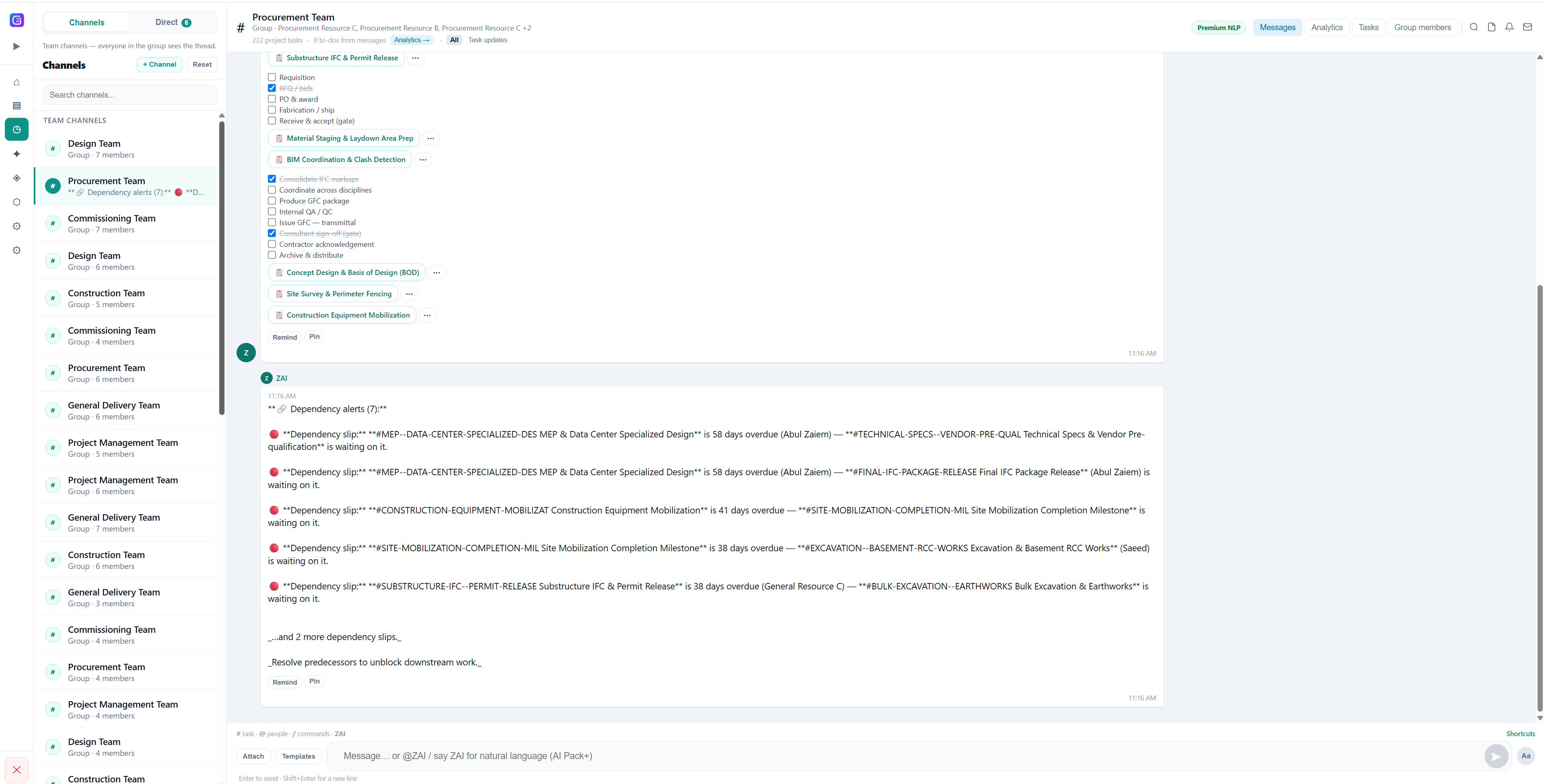
Channels with ZAI in the thread. Ask for delayed work, summaries, or next actions — and let structured update streams nudge assignees automatically.
- Project-aware answers from the live schedule
- Dependency slips called out in-thread
- Reminders aligned to pending work
Scope in. A stress-tested schedule out.
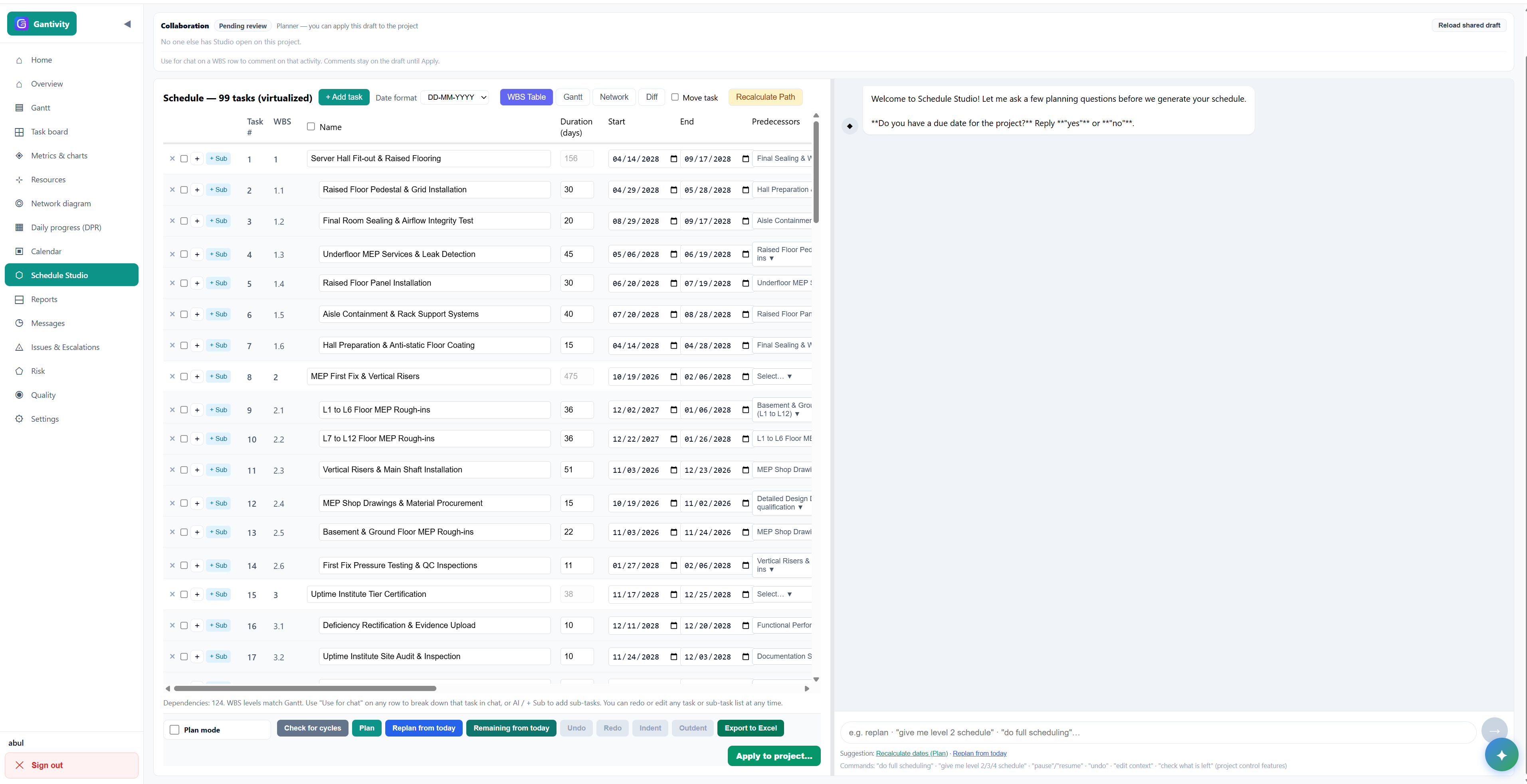
Describe the job in plain language or start from an existing plan. Studio drafts the WBS, then you iterate with AI until the dates stand up to site reality.
- Work breakdown at Level 1 and deeper
- Durations, dates, and predecessors in the table
- Gantt-backed critical path as the plan changes
Daily progress from the work face
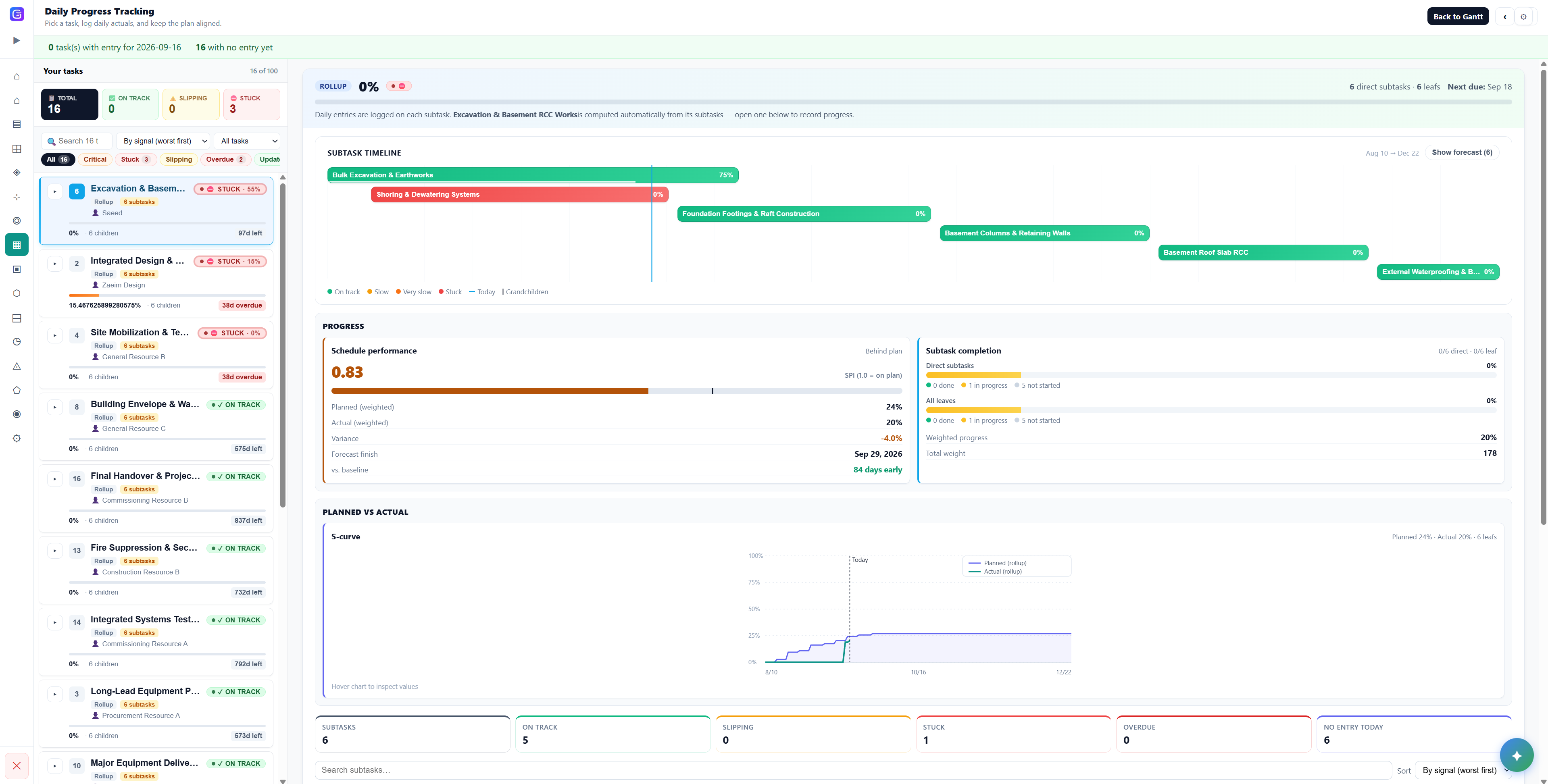
Site engineers update tasks with notes, percent progress, and time. Anything wrong gets raised as an issue, tied straight back to the live schedule.
- On track, slipping, and stuck at a glance
- Subtask timeline, SPI, and S-curve together
- No disconnected Excel DPR
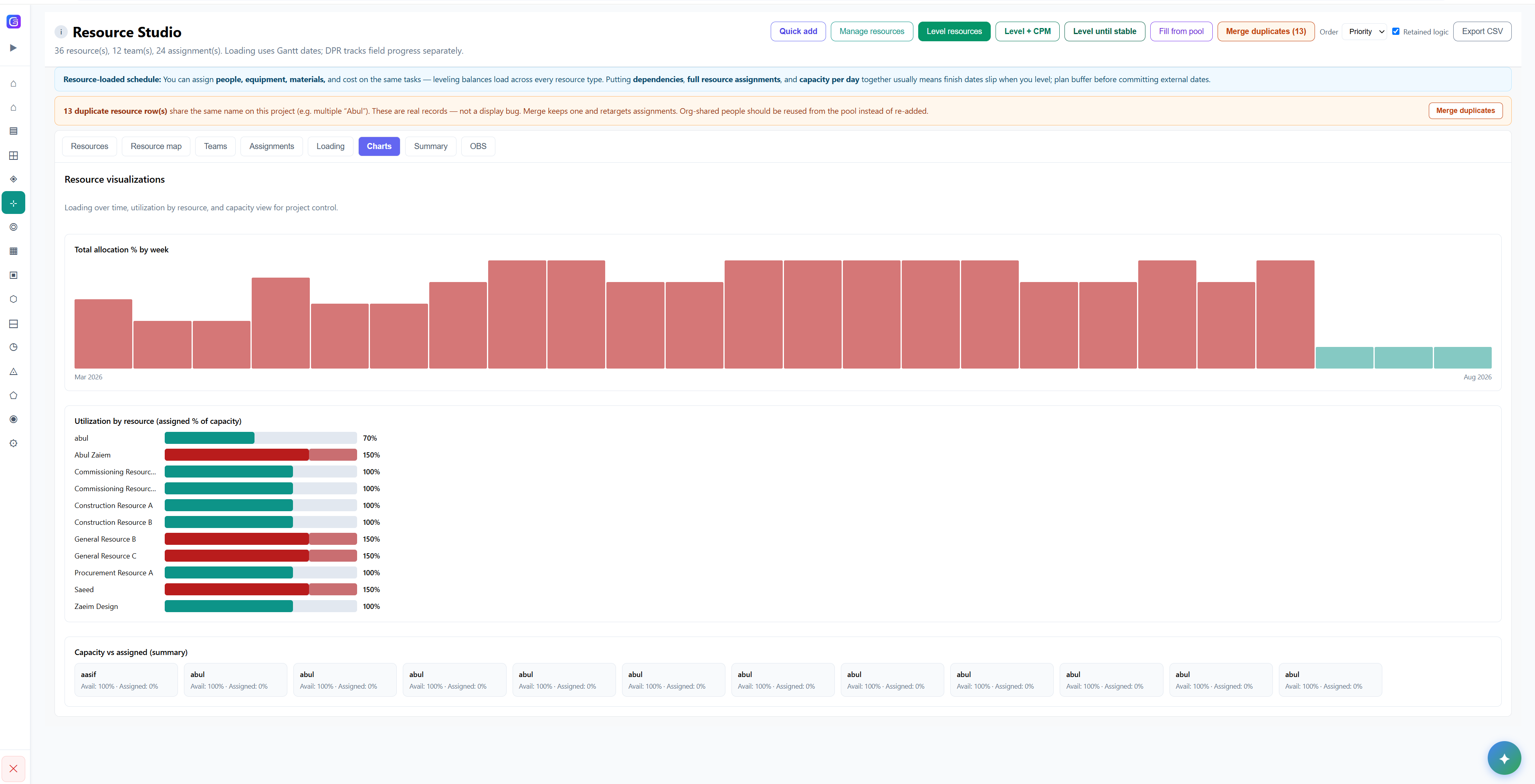
See who is loaded before you promise dates
Resource loading against the live WBS — so you do not commit a programme the site cannot staff.
- Loading plotted on the same schedule Studio produced
- Peaks visible before they become delay
- Built for PMO and planning leads
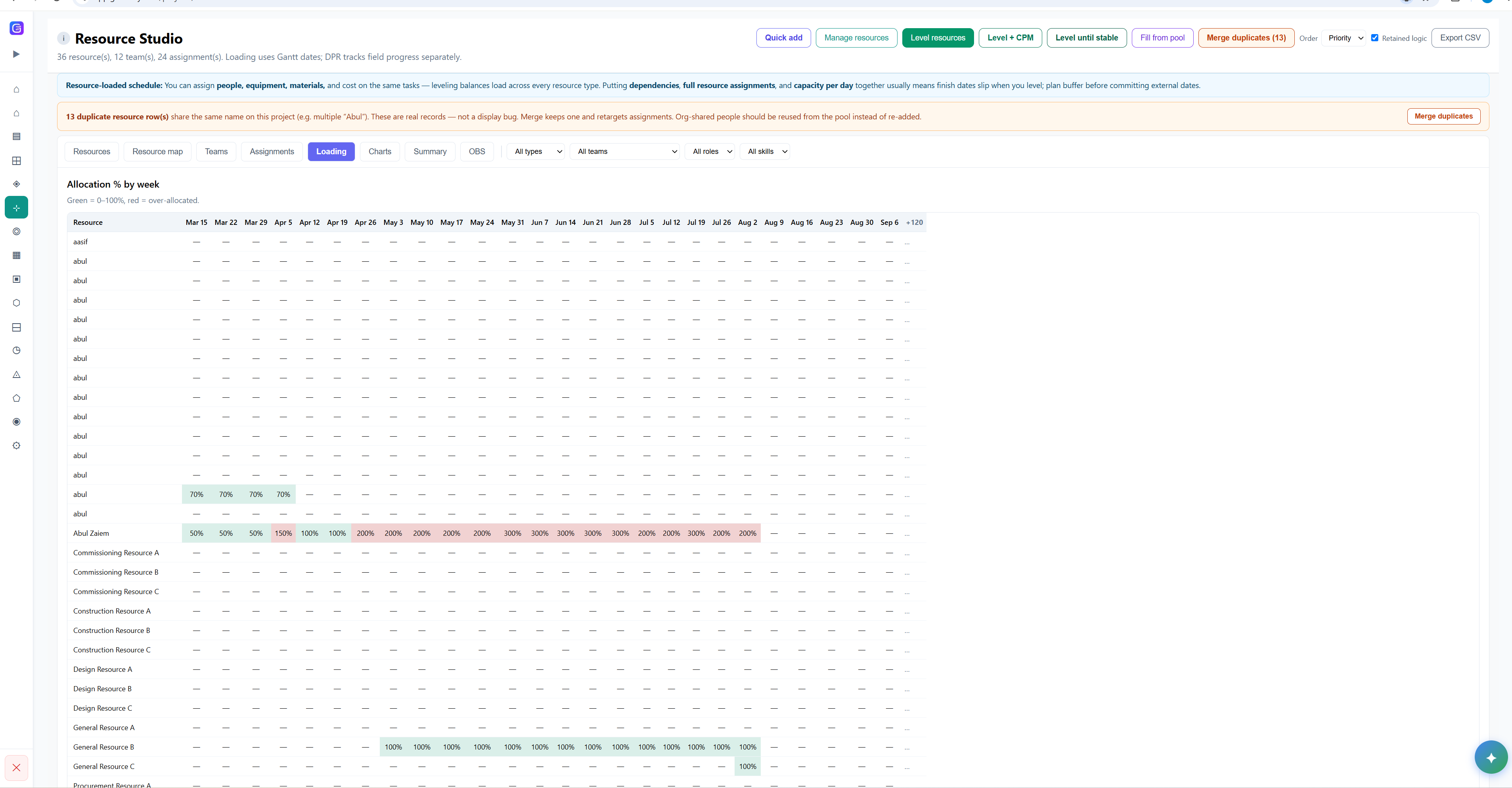
Level peaks without rebuilding the programme
Smooth overload on the same network, then re-check the critical path — instead of a weekend in a desktop levelling wizard.
- Levelling on the live schedule
- Re-run the critical path after you level
- For teams who cannot afford hidden overload
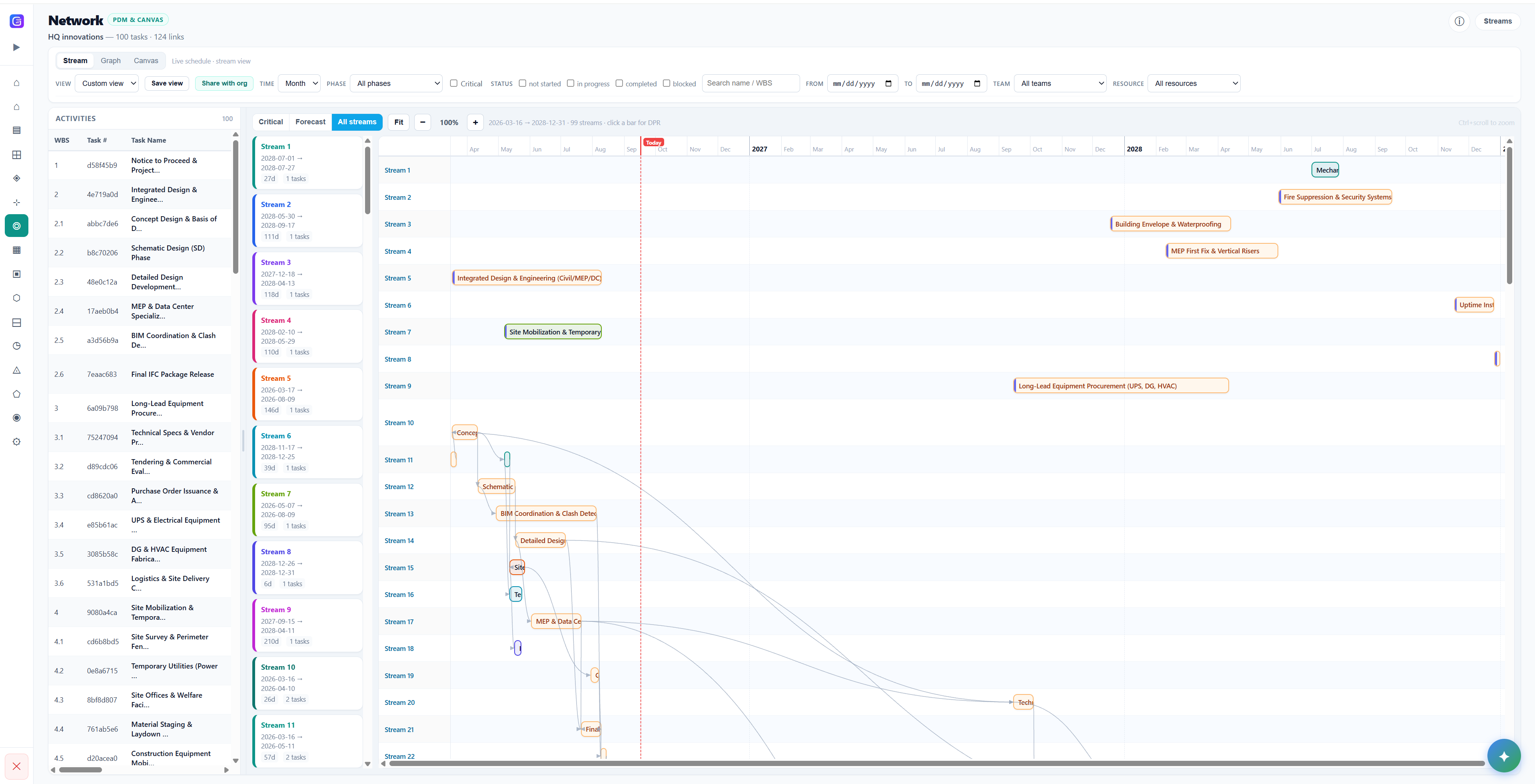
Logic you can actually share
PDM network of the programme — feeders, logic, and time in one canvas, not a buried P6 print that only the planner can read.
- Activity list beside the network
- Feeders and successors on one stream
- Shareable with owners and planners
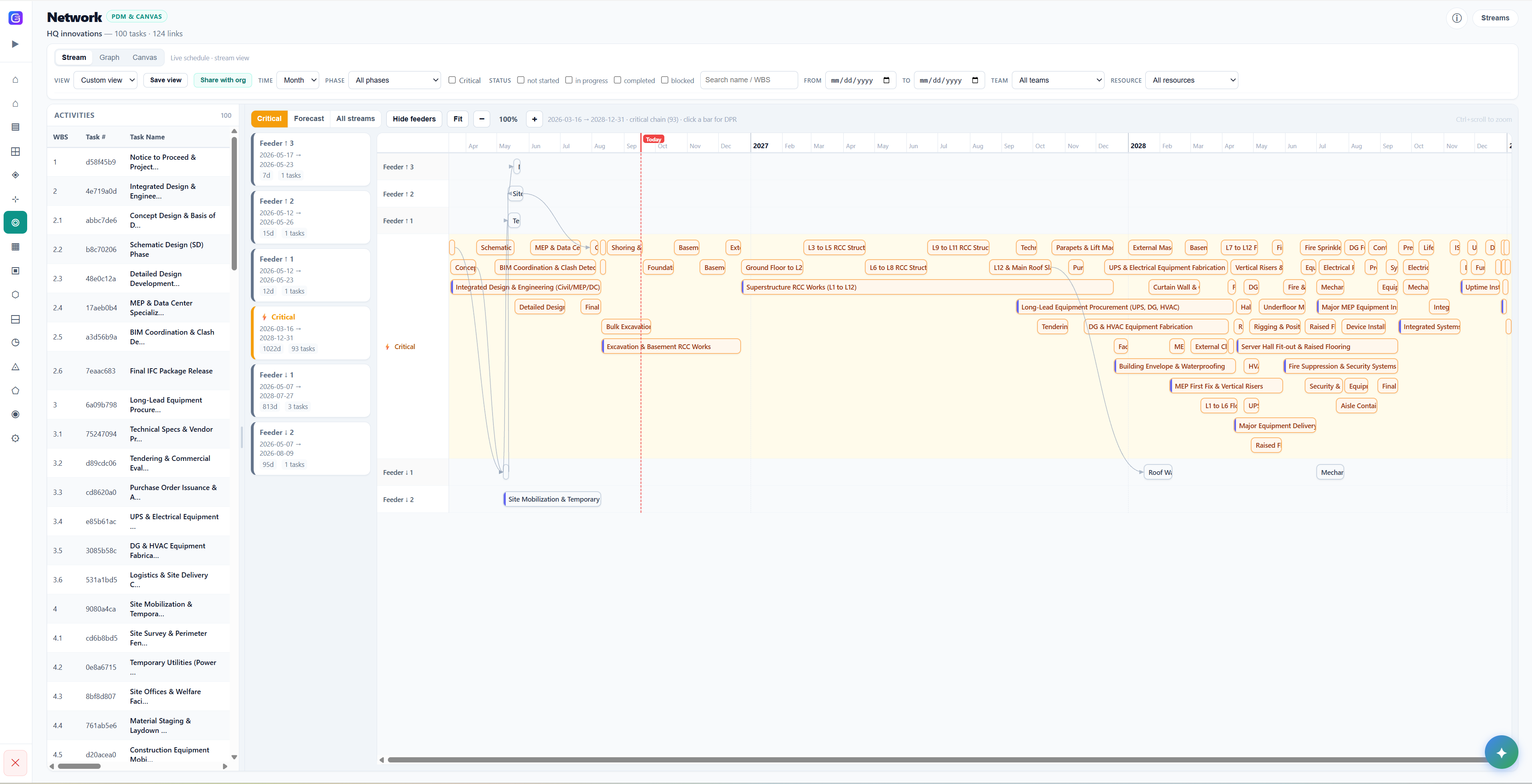
The path that actually drives the finish
The critical path, isolated — so delays show up as a stream, not a hunt through thousands of bars.
- Critical filter on the network canvas
- Feeder stacks stay in view
- The view a project controls meeting actually needs
One product thread from plan to daily execution
Every capability feeds the same live schedule — so project controls, site teams, and leadership work from one version of the truth.
AI schedule generation (Studio)
WBS levels, AI iterate-and-refine, dependencies, calendars, and Gantt-backed critical path — a living schedule, not a static screenshot of a plan.
Execution signals
Instant visibility into what needs attention — behind, blocked, or on track — so teams respond to today's reality, not last week's slide deck.
ZAI in chat
List tasks, summarise conversations, pull due-this-week and tasks-with-issues, get escalation help — all without leaving the channel.
Daily Progress workflow (DPR)
Per-task daily progress reports: notes, percent progress, time, full history, and raise-issue straight from the work face.
Issues & automated escalations
Issues register with priority and severity, critical-issue notifications, and configurable auto-escalation when requests sit unanswered.
AI reports from the schedule
Status, risk, weekly digests, and schedule-variance narratives generated from live schedule data — reporting without the reporting week.
Project controls messaging (PCM)
Project-aware AI chat with structured actions, plus update streams that remind and nudge assignees on tasks and pending work.
Dashboards & multi-project inbox
Control-tower visibility across projects, plus a filtered inbox for escalations, assignments, and mentions — nothing hides in chat noise.
Gantt & Kanban views
Dependency and calendar-aware Gantt for planners, Kanban for teams who work in flow — both views of the same live schedule.
Now shipping, next, and later
We build with design partners, so the roadmap follows real-world execution requirements — not feature checklists.
Now shipping
- Studio: AI planning chat, WBS levels, dependency and calendar-aware scheduling, Gantt & Kanban
- Execution signals: behind, blocked, or on track
- ZAI in chat: tasks, summaries, due-this-week, tasks-with-issues, escalation help
- Daily Progress (DPR) with history and raise-issue from the field
- Issues hub with priority, severity, and critical notifications
- Configurable auto-escalation for overdue requests
- AI reports: status, risk, digests, variance narratives
- PCM with structured actions and update streams
- Dashboards and multi-project inbox
Next
- Industry-tuned signal rules and thresholds out of the box
- Network-aware issue routing — who gets nudged first, from the CPM graph
- Scenario and what-if delay storytelling in the product UI
- More ZAI intents and enterprise RBAC polish
Later
- Portfolio-level learning and prediction from historical programmes
- Enterprise integrations, SSO, and data residency controls
- Workflow automation for approvals, handovers, and client reporting packs
- Industry benchmarks and reusable playbooks
See the whole system in one demo
From AI schedule generation to daily progress reports and automated escalations — we'll walk your team through it on a project like yours.